Pages and the home page
Besides guides, kataba has pages: standalone pages of rich text, such as an imprint, house rules or a page about a topic. A page is not a guide: it has no steps, does not belong to a category and has no versions. Only admins create and edit pages. The home page is a special page whose content shows above the categories on kataba's first screen.
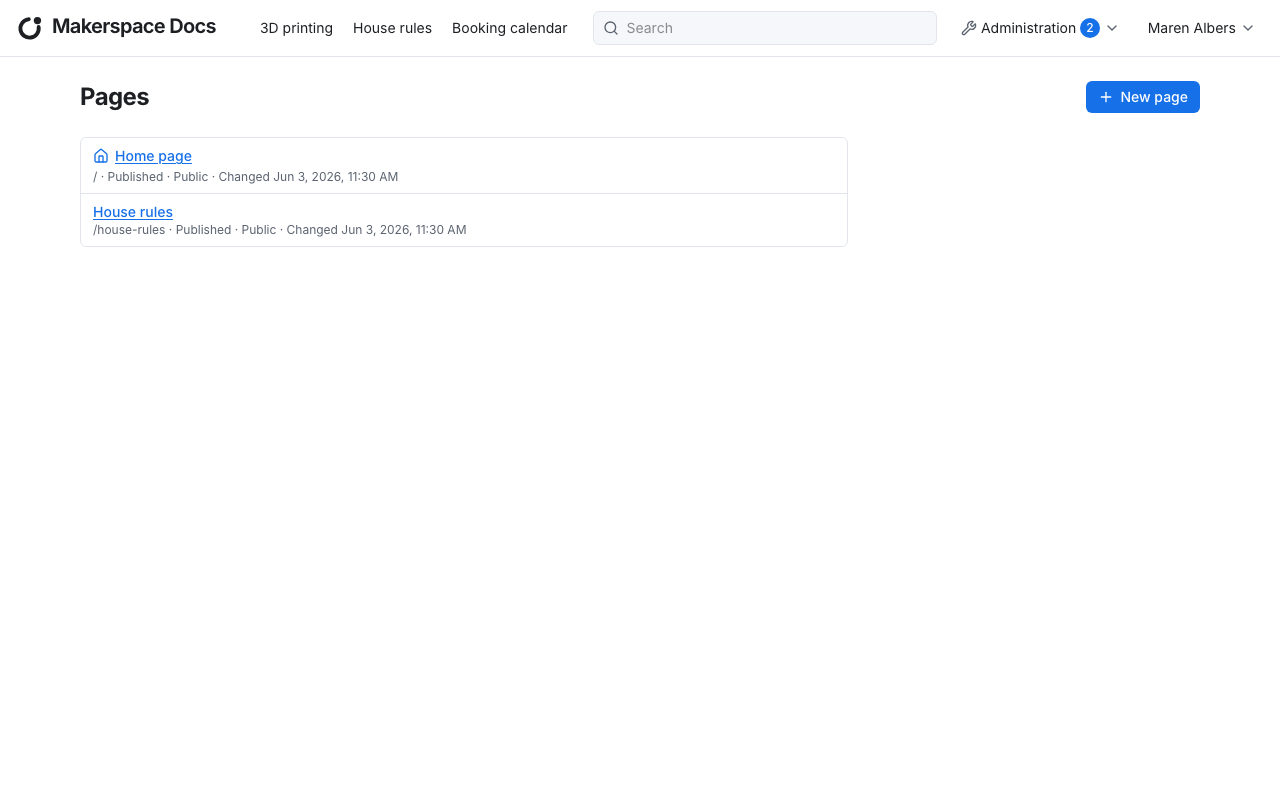
Administration → Pages lists the home page and all other pages, each with its address, whether it is published, its visibility and when it last changed.
Creating a page
New page asks for a title and a slug. The slug is the page's address after the domain: a page with the slug imprint is at /imprint. kataba makes the slug from the title if you leave it empty. It may only contain lowercase letters, digits and single hyphens, and must be unique among the pages. A few slugs are reserved for kataba's own addresses, such as admin, guides, search or login; kataba says so if you choose one.
Create page creates the page as a draft and opens it for editing.
Editing a page
A page's form has its title, its slug, its visibility, its status and its content. Save page saves it; on a published page, readers see the change at once.
- Visibility: public, for anyone, or internal, for signed-in users only. A page belongs to no category, so its visibility applies as set.
- Status: a draft only admins see; a published page is open to everyone its visibility allows.
- Slug: changing it changes the page's address. The old address stops working; nothing redirects from it, so update links to the page, too. Menu items follow the page by themselves.
Published pages are found by the search, like guides.
Content
A page's content offers everything a guide's description has, headings, paragraphs, lists, quotes, code, callouts and references to guides, categories and other pages (see Step content), and four blocks only pages have:
- Tables, with an optional heading row, switched on in the block's settings.
- Images, in their own format rather than cropped to 4:3, with an optional caption. An image belongs to its page and is deleted once the page is saved without it.
- Columns: two or three columns of equal width, side by side on wide screens and stacked on narrow ones. A column holds any block but further columns.
- Spacers: empty vertical space, 1 to 20 rem high, to set content apart.
The home page
The home page always exists and cannot be deleted. It has no title and no slug of its own: its content shows at /, above the top-level categories. Open it with Home page at the top of the list of pages.
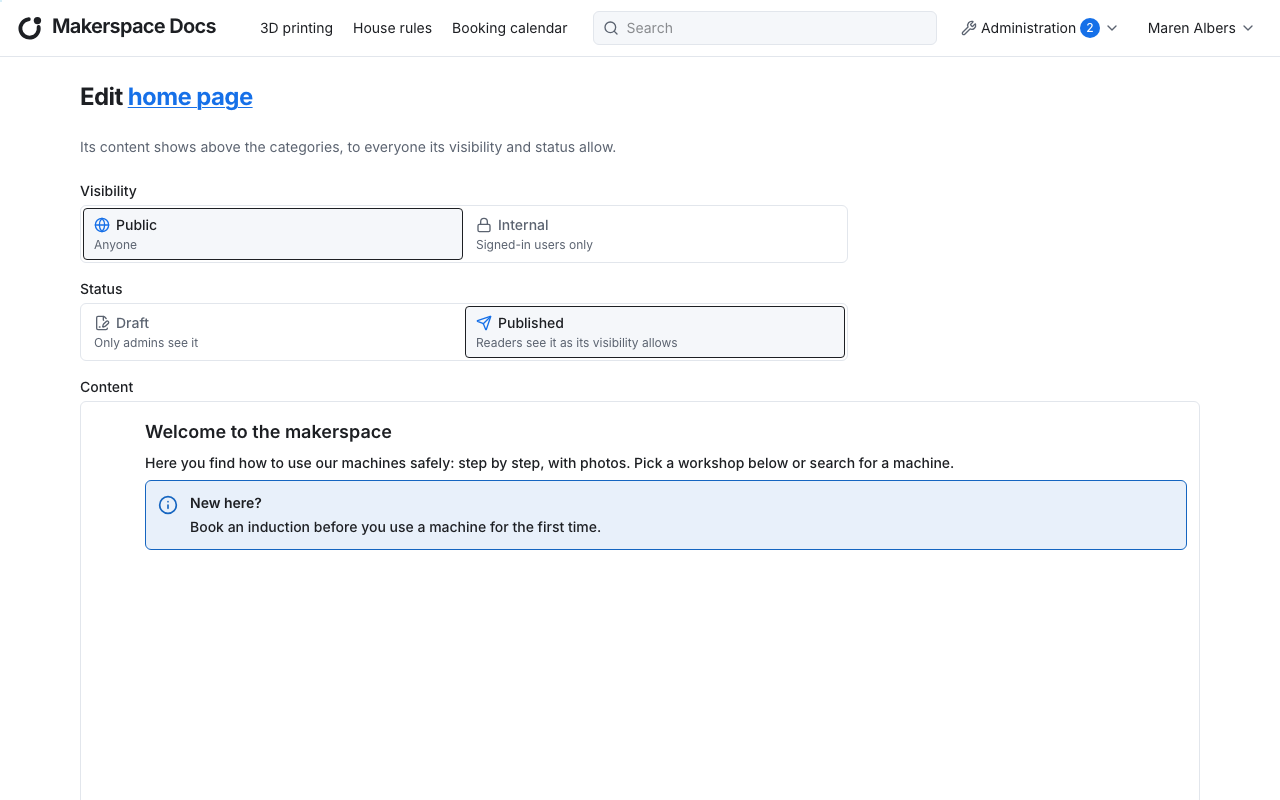
Like other pages, it has a visibility and a status: an internal home page shows its content to signed-in users only, and a draft home page shows none, until it is published. The categories below it are shown either way.
Deleting a page
Delete page at the bottom of a page's form deletes it, after asking. A deleted page is gone for good and cannot be restored; menu items that linked to it go with it.